


Looking for MiroMiro Lifetime deal?
How to get the MiroMiro lifetime deal
If you would like to buy a lifetime deal on MiroMiro, make a request here. When the deal is live you will receive an email from us notifying you about it.
You can increase the chances of getting this lifetime deal by sharing this page with your friends and colleagues and encouraging them to make a request for MiroMiro LTD.
The more requests we have, the better the chances for us to get the deal for you.
Request
⇢
Share
⇢
Get Notified
Share with your friends to reach the goal!
Share and get your friends to request this deal to increase the chances of getting this lifetime deal
What is MiroMiro?
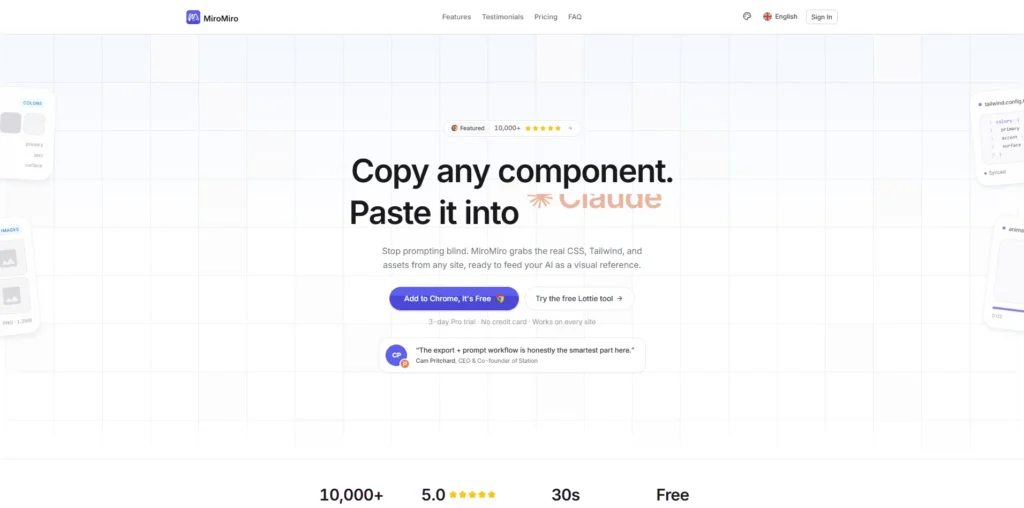
MiroMiro is a Chrome extension for designers and developers that helps you inspect, extract, and copy design assets from any live website without using DevTools.
It allows users to instantly capture CSS, Tailwind code, images, SVGs, colors, fonts, spacing, and even Lottie animations directly from a webpage.
MiroMiro covers several parts of the modern UI and frontend workflow, from analyzing competitor websites and extracting design systems to exporting production-ready HTML/CSS and Tailwind code.
MiroMiro Plans and Pricing
MiroMiro Use Cases
Website Inspiration and Research: Designers and agencies can inspect live websites to understand layouts, typography, color systems, spacing, and UI structures. This helps teams gather inspiration and speed up competitor research during the design process.
Extracting Tailwind and CSS Code: Frontend developers can instantly copy Tailwind CSS classes, HTML structures, and styling directly from live websites. This significantly reduces development time and removes the need to manually inspect elements line by line.
Recreating Landing Pages: MiroMiro helps no-code builders, marketers, and developers quickly recreate sections of websites for landing pages, sales pages, and prototypes. This is especially useful for rapidly testing new design ideas and layouts.
Downloading Website Assets: Users can extract and download images, SVG icons, fonts, videos, and Lottie animations directly from websites. This makes it easier to study design systems and collect reusable frontend assets.
Design System Analysis: Product designers and UI teams can inspect how modern SaaS products structure their design systems, including spacing, colors, grids, and typography. This helps maintain consistency while building scalable UI systems.
Who is MiroMiro ideal for?
Frontend Developers: MiroMiro is ideal for frontend developers who want to inspect, copy, and recreate website components faster without spending hours inside browser DevTools. It helps developers extract Tailwind CSS, HTML structures, fonts, spacing, and UI elements directly from live websites.
UI/UX Designers: Designers can use MiroMiro to study modern website layouts, analyze design systems, and gather inspiration from high-quality websites. The platform simplifies the process of understanding typography, spacing, color palettes, and component structures used by leading products.
No-Code Creators and Webflow Users: Perfect for no-code builders and Webflow creators, MiroMiro helps users understand how professional websites are structured visually. Users can quickly replicate layouts and frontend ideas without needing deep technical expertise.
Creative Agencies and Freelancers: Agencies and freelancers working on client projects can use MiroMiro to speed up competitor analysis, collect design references, and extract reusable frontend assets. This helps reduce production time while improving workflow efficiency.
Startup Founders and Indie Hackers: Startup founders building MVPs and landing pages can use MiroMiro to quickly prototype interfaces and study successful SaaS website designs. It is especially useful for lean teams that need to move fast without hiring large frontend teams.
MiroMiro Key Features
Live CSS Inspector
Real-Time CSS Editing
Tailwind CSS Export
HTML Export
Asset Extraction
SVG Extraction
Lottie Animation Extraction
Brand Color Palette Extraction
Design Token Extraction
WCAG Contrast Checking
CSS Scan: one of the most popular tools for inspecting and copying CSS from live websites with a very polished workflow.
VisBug: -a free Chrome extension that allows designers and developers to visually inspect and edit websites directly in the browser.
HTML to Design: helps convert live websites into editable Figma designs, making it useful for designers and product teams.
Site Palette: great for extracting color palettes, typography, and visual styles from websites for design inspiration.
Webflow Chrome Extension Tools: useful for no-code creators and Webflow users who want to inspect layouts and frontend structures more efficiently.
MiroMiro stands out as a fast and lightweight solution for inspecting, extracting, and recreating website designs without the complexity of traditional DevTools workflows. Whether you’re a designer, developer, agency, or no-code creator, it helps speed up UI research, frontend development, and website inspiration significantly.
MiroMiro alternatives and competitors
Why we can get MiroMiro
Be the first to know when MiroMiro LTD goes live!
At Prime, we do the impossible very often!
What LTD fans say about Prime Club:
Prime Club is my go-to for LTDs. Dev curates quality lifetime deals, including big brands like SpyFu. Excellent platform and great value!”
Prime Club definitely has a bright future and eventually will become the most trustable brand in the Lifetime deal community.
You’ll be the first to know the moment they launch!
Request for a MiroMiro lifetime deal
Be the first to know when we launch this deal
- Terms of use
- Privacy Policy
- ©2026 | Crafted with love