

Looking for Send/links Lifetime deal?
How to get the Send/links lifetime deal
If you would like to buy a lifetime deal on Send/links, make a request here. When the deal is live you will receive an email from us notifying you about it.
You can increase the chances of getting this lifetime deal by sharing this page with your friends and colleagues and encouraging them to make a request for Send/links LTD.
The more requests we have, the better the chances for us to get the deal for you.
Request
⇢
Share
⇢
Get Notified
Share with your friends to reach the goal!
Share and get your friends to request this deal to increase the chances of getting this lifetime deal
What is Send/links?
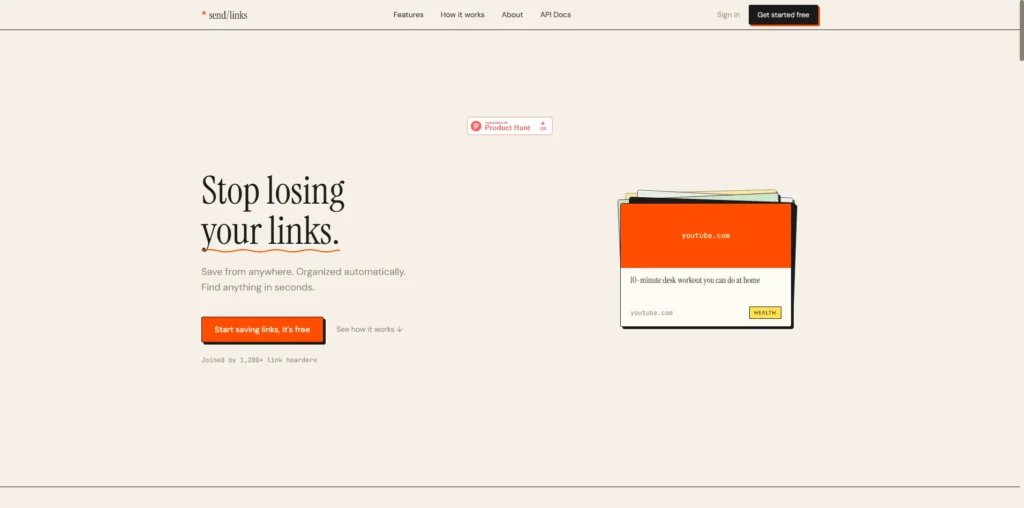
Send/links is a link-saving and organization tool that helps users save, organize, and find useful links from across the web.
It brings saved content from sources such as browser tabs and Telegram into one searchable library, reducing the need to manage scattered bookmarks and saved links.
Send/links covers several parts of link management, from saving links through its Chrome extension, Telegram bot, or by pasting URLs to automatically organizing them with titles, descriptions, categories, and previews.
Send/links Plans and Pricing
Send/links Use Cases
Organizing Research: Researchers can use Send/links to save articles, studies, references, and other useful web resources in one place. Its organization and search features make it easier to return to relevant sources when working on research projects.
Saving Links from Telegram: Send/links can be used to save links directly from Telegram through its bot. This is useful for users who frequently discover articles, videos, tools, or other resources in Telegram and want to keep them organized for later.
Managing Browser Bookmarks: Users can save web pages through the Send/links Chrome extension instead of leaving useful resources scattered across browser tabs and bookmarks. Saved links can then be organized and accessed from a centralized library.
Finding Saved Resources: Send/links provides search and browsing options that help users find previously saved links. Users can browse their collection by categories, domains, or dates, making it easier to retrieve a resource without searching the web again.
Building a Personal Link Library: Professionals, writers, developers, and other frequent web users can use Send/links to build a personal collection of useful online resources. This makes articles, videos, tools, references, and other saved content easier to access whenever they are needed.
Who is Send/links ideal for?
Researchers and Students: Send/links is useful for researchers and students who regularly collect articles, references, and other resources from the web. They can save and organize useful links in one place, making it easier to return to important sources while working on projects or assignments.
Writers and Content Creators: Writers and content creators can use Send/links to collect articles, examples, inspiration, and research material for future content. Its centralized link library helps them keep useful resources organized instead of relying on scattered browser bookmarks.
Developers and Technical Professionals: Developers can use Send/links to save documentation, tutorials, tools, GitHub resources, and other technical references. The ability to search and organize saved links makes frequently used resources easier to find when needed.
Professionals and Knowledge Workers: Professionals who regularly discover useful information online can use Send/links to manage their saved resources in one place. Features such as search, categories, domain browsing, and date-based browsing can help them retrieve relevant links more efficiently.
People Who Save Links from Multiple Sources: Send/links is particularly useful for users who discover content through different channels such as browsers and Telegram. They can bring useful links into one organized library instead of keeping them scattered across different apps and services.
Send/links Key Features
One-Click Link Saving
Automatic Link Organization
Automatic Categories, Titles and Descriptions
Link Search and Filtering
Domain and Date-Based Browsing
Chrome Extension
Telegram Bot
Built-in Reader Mode
PIN-Protected Private Mode
Public Profiles and Shareable Views
Raindrop.io: a bookmark manager that helps users save, organize, search, and access web pages across devices with collections, tags, and notes.
Pocket: a read-it-later service for saving articles, videos, and web pages so users can access them later from a centralized library.
Readwise Reader: a reading and knowledge management tool that supports saving articles, newsletters, PDFs, and other web content with highlighting and annotation features.
MyMind: a personal knowledge and bookmarking tool that uses AI-assisted organization to help users save and retrieve links, images, notes, and other content.
Matter: a read-it-later and reading app that lets users save articles, newsletters, and other content while supporting highlighting, annotations, and organization.
These Send/links alternatives offer different approaches to bookmarking, saving online content, and managing personal knowledge. The right platform depends on whether your priority is organizing links, reading and highlighting content, or building a centralized library of web resources.
Send/links alternatives and competitors
Why we can get Send/links
Be the first to know when Send/links LTD goes live!
At Prime, we do the impossible very often!
What LTD fans say about Prime Club:
Prime Club is my go-to for LTDs. Dev curates quality lifetime deals, including big brands like SpyFu. Excellent platform and great value!”
Prime Club definitely has a bright future and eventually will become the most trustable brand in the Lifetime deal community.
You’ll be the first to know the moment they launch!
Request for a Send/links lifetime deal
Be the first to know when we launch this deal
- Terms of use
- Privacy Policy
- ©2026 | Crafted with love