
Looking for AutoEdit Lifetime deal?
How to get the AutoEdit lifetime deal
If you would like to buy a lifetime deal on AutoEdit, make a request here. When the deal goes live, you will receive an email from us notifying you about it.
You can increase the chances of getting this lifetime deal by sharing this page with your friends and colleagues and encouraging them to request AutoEdit LTD.
The more requests we receive, the better the chances of securing the deal for you.
Request
⇢
Share
⇢
Get Notified
Share with your friends to reach the goal!
Share and get your friends to request this deal to increase the chances of getting this lifetime deal
What is AutoEdit?
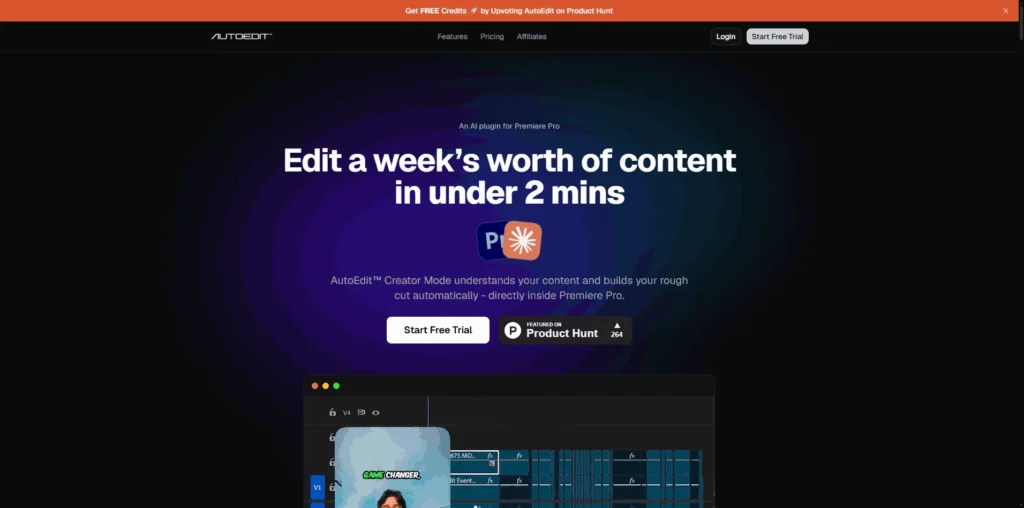
AutoEdit is an AI-powered video editing plugin for Adobe Premiere Pro that helps creators edit videos up to 10x faster by automatically analyzing footage and generating rough cuts.
Instead of manually trimming clips and organizing timelines, AutoEdit uses AI to understand your content, remove mistakes, and build an editable sequence in minutes.
AutoEdit covers several key stages of the video editing workflow, from detecting repeated takes, removing filler words and silences, generating captions, syncing footage, and automatically creating rough cuts to applying AI-powered editing directly inside Premiere Pro.
AutoEdit Plans and Pricing
AutoEdit Use Cases
Talking-Head Video Editing: AutoEdit automatically detects the best takes, removes mistakes, trims silences, and generates rough cuts for talking-head videos. This dramatically reduces editing time for YouTubers, educators, and business creators.
Podcast Video Production: Podcasters can quickly edit long-form video podcasts by removing filler words, awkward pauses, and repeated takes. AI-generated captions also help make content more accessible and ready for publishing.
Client Video Production: Agencies and freelance editors can speed up client work by automating repetitive editing tasks inside Adobe Premiere Pro. This allows teams to deliver projects faster while focusing on creative storytelling and finishing touches.
Interview Editing: AutoEdit simplifies interview editing by identifying usable takes, removing unnecessary pauses, and organizing footage into an editable timeline. Editors spend less time reviewing raw footage and more time refining the final edit.
Event and Webinar Highlights: Businesses and creators can transform long webinars, presentations, or event recordings into polished videos more efficiently. AI-generated rough cuts reduce the manual effort required to edit lengthy recordings.
Who is AutoEdit ideal for?
Content Creators and YouTubers: AutoEdit is ideal for creators producing regular video content who want to reduce editing time without sacrificing quality. AI-powered automation handles repetitive editing tasks, allowing creators to publish videos more consistently.
Video Editors and Production Teams: Professional editors can use AutoEdit to automate rough cuts, remove filler words, detect the best takes, and organize timelines directly inside Adobe Premiere Pro. This speeds up post-production while preserving full creative control.
Marketing Agencies: Agencies producing videos for multiple clients can streamline editing workflows with AutoEdit. Faster turnaround times enable teams to handle higher project volumes while maintaining consistent quality across client deliverables.
Podcasters: Video podcasters can automatically clean up recordings by removing awkward pauses, repeated takes, and filler words while generating captions for improved accessibility and audience engagement.
Filmmakers and Documentary Producers: Editors working with interviews, documentaries, or long-form productions can quickly review footage, organize clips, and generate editable rough cuts, significantly reducing manual editing time.
AutoEdit Key Features
AI Rough Cut Generation
Adobe Premiere Pro Integration
Automatic Silence Removal
Filler Word Detection and Removal
Duplicate Take Detection
AI Caption Generation
Automatic Clip Sequencing
Speech-to-Text Transcription
Multi-Camera Footage Sync
AI-Assisted Timeline Editing
Descript: One of the leading AI video editing platforms that lets you edit videos by editing text while offering automatic transcription, filler word removal, and screen recording.
Wisecut: An AI video editor that automatically removes silences, adds background music, generates captions, and creates engaging videos with minimal manual editing.
Gling: Built specifically for YouTubers, Gling automatically removes mistakes, awkward pauses, and bad takes before exporting projects to Adobe Premiere Pro or Final Cut Pro.
FireCut AI: An AI editing assistant for Adobe Premiere Pro that automates repetitive editing tasks such as silence removal, multicam editing, zoom cuts, captions, and B-roll suggestions.
OpusClip: An AI-powered video repurposing platform that transforms long-form videos into short, social media-ready clips with automatic captions and smart scene detection.
AutoEdit is an excellent choice for creators and editors who want to automate video editing directly inside Adobe Premiere Pro. However, these alternatives offer similar AI-powered editing, transcription, captioning, and workflow automation features with different approaches to video production.
AutoEdit alternatives and competitors
Why we can get AutoEdit
Be the first to know when AutoEdit LTD goes live!
At Prime, we do the impossible very often!
What LTD fans say about Prime Club:
Prime Club is my go-to for LTDs. Dev curates quality lifetime deals, including big brands like SpyFu. Excellent platform and great value!”
Prime Club definitely has a bright future and eventually will become the most trustable brand in the Lifetime deal community.
You’ll be the first to know the moment they launch!
Request for a AutoEdit lifetime deal
Be the first to know when we launch this deal
- Terms of use
- Privacy Policy
- ©2026 | Crafted with love