

Looking for Evernote Lifetime deal?
How to get the Evernote lifetime deal
If you would like to buy a lifetime deal on Evernote, make a request here. When the deal is live, you will receive an email from us notifying you about it.
You can increase the chances of getting this lifetime deal by sharing this page with your friends and colleagues and encouraging them to make a request for Evernote LTD.
The more requests we receive, the better the chances of securing the deal for everyone.
Request
⇢
Share
⇢
Get Notified
Share with your friends to reach the goal!
Share and get your friends to request this deal to increase the chances of getting this lifetime deal
What is Evernote?
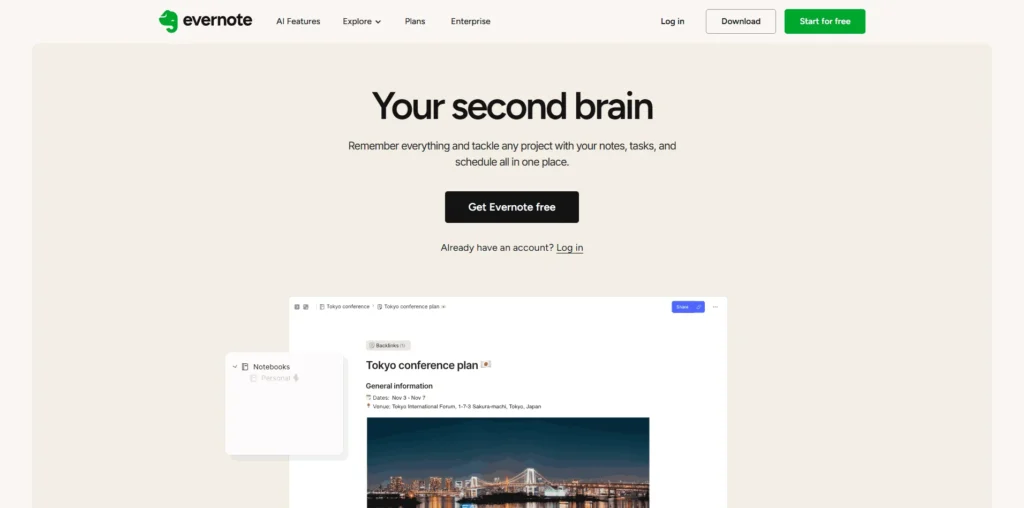
Evernote is a note-taking and productivity application that helps individuals and teams capture, organize, and find information across all their devices.
It enables users to create notes, manage tasks, save web pages, scan documents, and keep everything organized in one searchable workspace.
Evernote covers several aspects of personal knowledge management, from creating text notes and to-do lists to organizing notebooks, clipping web content, attaching files, scanning documents, and using AI-powered search to quickly retrieve information.
Evernote Plans and Pricing
Evernote Use Cases
Meeting Notes and Documentation: Evernote allows professionals to capture meeting notes, action items, and project updates in one organized location. With notebooks, tags, and search functionality, it’s easy to revisit important discussions whenever needed.
Personal Knowledge Management: Students, researchers, and lifelong learners can use Evernote to organize articles, ideas, web clippings, PDFs, and study materials. Everything remains searchable, making it simple to build and access a personal knowledge base.
Task and Project Planning: Individuals and teams can create task lists, project plans, and checklists alongside their notes. This helps keep work organized and ensures important deadlines and action items are never overlooked.
Research and Web Clipping: Evernote’s Web Clipper allows users to save articles, webpages, screenshots, and online resources directly into organized notebooks. This makes it easier to collect research material without losing valuable information.
Document Organization: Users can scan receipts, business cards, handwritten notes, and important documents, then store them securely in Evernote. With powerful search capabilities, finding documents later becomes fast and effortless.
Who is Evernote ideal for?
Students and Researchers: Evernote is perfect for students and researchers who need to organize lecture notes, research papers, web articles, and study materials. Its powerful search and notebook organization make it easy to find information whenever it’s needed.
Professionals and Knowledge Workers: Ideal for professionals managing multiple projects, meetings, and ideas, Evernote provides a centralized workspace for notes, documents, and tasks. It helps users stay organized and productive without switching between multiple apps.
Freelancers and Entrepreneurs: Freelancers and business owners can use Evernote to capture ideas, manage client information, organize project notes, and track daily tasks. Having everything stored in one place makes it easier to manage work efficiently.
Content Creators and Writers: Writers, bloggers, and content creators can collect research, save web pages, draft content, and organize creative ideas in structured notebooks. Evernote simplifies content planning by keeping all reference material easily accessible.
Small Teams and Businesses: Teams looking for a shared knowledge base can use Evernote to document processes, store meeting notes, and collaborate on projects. Shared notebooks and synchronized access help everyone stay aligned while reducing information silos.
Evernote Key Features
Note Taking
Notebooks and Tags
AI-Powered Search
Tasks and To-Do Management
Web Clipper
Document Scanning
Cross-Device Sync
Real-Time Collaboration
File and Media Attachments
Calendar Integration
Notion: A highly versatile workspace that combines note-taking, databases, wikis, and project management into a single platform.
Microsoft OneNote: One of the most popular digital notebook applications, offering deep integration with the Microsoft 365 ecosystem and excellent free features.
Obsidian: A powerful knowledge management tool that stores notes locally and uses bidirectional linking to build a personal knowledge graph.
Joplin: An open-source note-taking application that supports end-to-end encryption, Markdown, and synchronization across multiple devices.
Google Keep: A lightweight note-taking app that’s ideal for quickly capturing notes, checklists, reminders, and ideas while integrating seamlessly with Google Workspace.
Evernote stands out for its mature note-taking experience, powerful search capabilities, web clipping, and cross-device synchronization. The best alternative depends on whether you prioritize collaboration, knowledge management, offline access, or a simple note-taking workflow.
Evernote alternatives and competitors
Why we can get Evernote
Be the first to know when Evernote LTD goes live!
At Prime, we do the impossible very often!
What LTD fans say about Prime Club:
Prime Club is my go-to for LTDs. Dev curates quality lifetime deals, including big brands like SpyFu. Excellent platform and great value!”
Prime Club definitely has a bright future and eventually will become the most trustable brand in the Lifetime deal community.
You’ll be the first to know the moment they launch!
Request for a Evernote lifetime deal
Be the first to know when we launch this deal
- Terms of use
- Privacy Policy
- ©2026 | Crafted with love